
Unleashing the Power of Oracle Database 23ai: A Deep Dive into AI Vector Search
Oracle Database continues to evolve, constantly pushing the boundaries of data management and analytics. The latest iteration, Oracle Database 23ai, introduces a wealth of innovative features designed to empower developers and data scientists alike. Among the most exciting is the AI Vector Search, a groundbreaking capability that promises to revolutionize how we interact with and extract insights from unstructured data. In this article, we’ll delve into the mechanics of AI Vector Search, exploring its potential, demonstrating its usage, and showcasing real-world application scenarios.
Introduction: The Rise of Vector Search
Traditional database searches rely on exact matches and structured data. But the world is awash in unstructured data: images, text, audio, and video. To make sense of this deluge, we need new tools. Vector Search provides a powerful solution.
At its core, Vector Search involves representing data as high-dimensional vectors. These vectors capture the semantic meaning of the data, allowing us to perform similarity searches based on content rather than exact matches. This approach opens up possibilities for applications that were previously impractical or impossible.
Oracle Database 23ai integrates Vector Search directly into the database engine, offering significant performance advantages and simplifying the development process. No longer do you need to rely on separate vector databases and complex data pipelines. Everything is unified within the familiar Oracle environment.
Usage & Examples: Putting AI Vector Search into Action
Let’s explore how to use AI Vector Search in Oracle Database 23ai. First, you’ll need to configure the feature. This typically involves creating a vector index on the columns containing your embedded data. The specific steps can vary, but generally, you’ll use the DBMS_CLOUD_AI package.
Here’s a simplified example, assuming you’ve already loaded your data and have an embedding model.
-- Assuming you have a table called 'product_descriptions'
-- with a column 'description_embedding' of type BLOB containing
-- the vector embeddings.

-- Create a vector index on the 'description_embedding' column
CREATE VECTOR INDEX product_description_vector_idx
ON product_descriptions (description_embedding)
DISTANCE FUNCTION COSINE;

-- Now, you can perform similarity searches
SELECT product_name, description
FROM product_descriptions
ORDER BY VECTOR_DISTANCE(description_embedding, :query_embedding)
FETCH FIRST 5 ROWS ONLY;
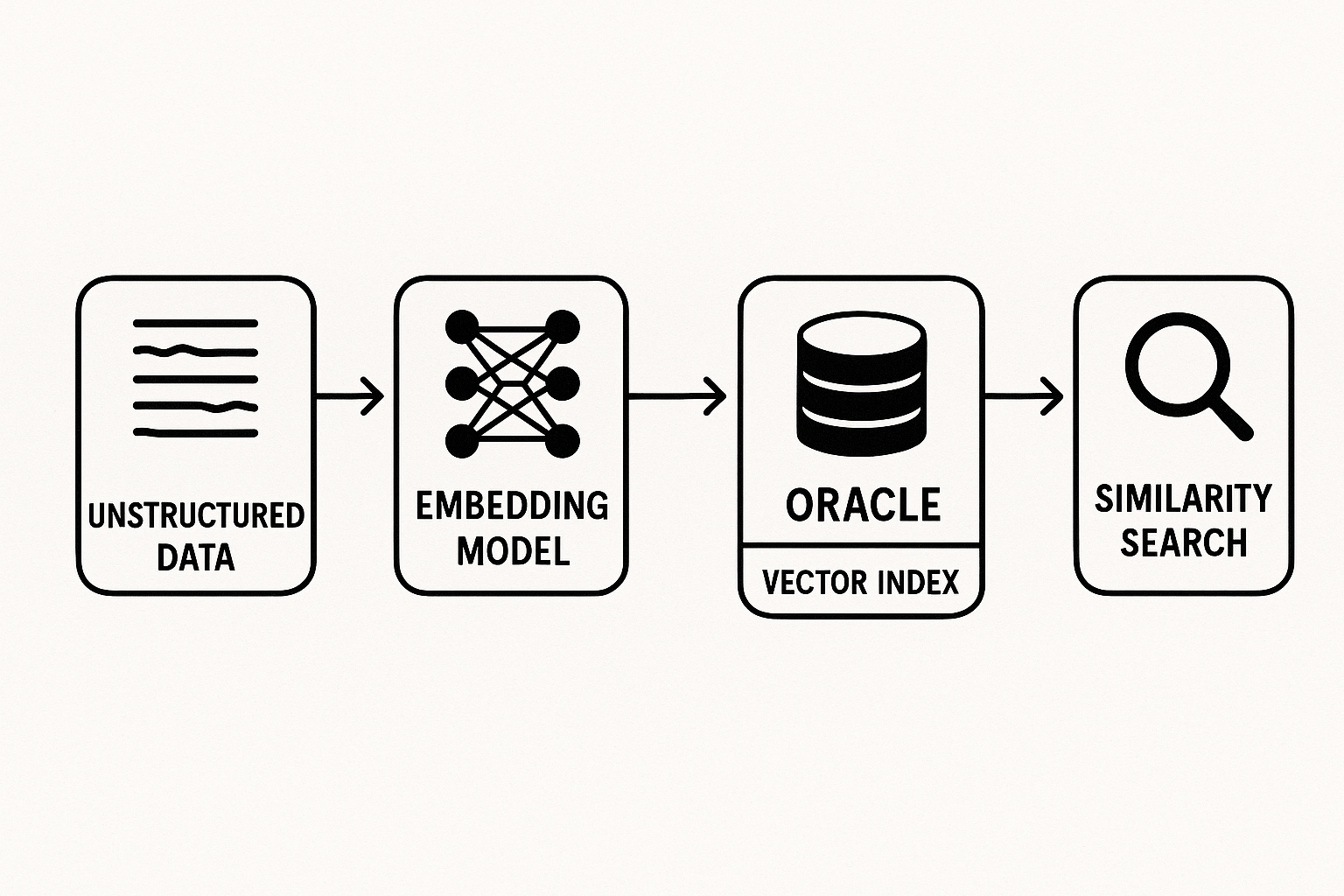
Explanation:
CREATE VECTOR INDEX: This command is the key to enabling vector search. It tells Oracle to build a specialized index optimized for similarity searches on the specified column.DISTANCE FUNCTION COSINE: This specifies the distance metric used to measure similarity between vectors. Cosine similarity is a common choice for embeddings, as it measures the angle between vectors, capturing semantic similarity. Other options might include Euclidean distance.VECTOR_DISTANCE: This function calculates the distance between a query vector (:query_embedding) and the vectors stored in the table. The query vector is typically the embedding of your search term or concept.FETCH FIRST 5 ROWS ONLY: This limits the results to the top 5 most similar items.
Example scenario: Product recommendation system
Imagine an e-commerce platform that wants to recommend products to its users based on their search queries. Instead of relying on keyword matching, the platform can use AI Vector Search to find products with descriptions that are semantically similar to the user’s query.
- The platform uses a pre-trained language model (e.g., using Hugging Face transformers) to generate embeddings for all product descriptions and user search queries.
- These embeddings are stored in the
product_descriptionstable within the Oracle database. - When a user enters a search query, the platform generates an embedding for the query.
- The
VECTOR_DISTANCEfunction is used to find the products with the most similar embeddings to the query embedding. - The top-ranked products are then recommended to the user.
This kind of system improves the recommendation’s relevancy and gives better search results for the user.
Another example: Image Search Let’s look at another use case of image similarity search. We can use the same principle of vector embedding and vector search to filter images based on similarity. First we have to:
- Generate embeddings for all the images.
- Store them in the table.
- Create a Vector Index.
- Search with a target image embedding.
Please refer to the table below for performance comparison.
| Feature | Traditional Search | AI Vector Search |
|---|---|---|
| Data Type | Structured | Unstructured (or structured) |
| Search Method | Exact Match, Keyword-Based | Semantic Similarity |
| Relevance | Limited | High |
| Scalability | Can be challenging with complex queries | Excellent |
| Performance | Good for simple queries | Excellent for complex, similarity-based queries |
Conclusion: The Future is Vectorized
Oracle Database 23ai’s AI Vector Search represents a significant leap forward in data management and analytics. By integrating vector search capabilities directly into the database, Oracle empowers us to unlock the value hidden within unstructured data and build intelligent applications that were previously out of reach.
“The ability to perform semantic searches directly within the database unlocks a new era of data-driven innovation.”
As we continue to generate and consume vast amounts of unstructured data, AI Vector Search will become an increasingly crucial tool for extracting insights, automating processes, and delivering personalized experiences. We at are very excited to explore this and see what possibilities it unlocks.






 Home
Home 